 ShotVeil
Hide private info. Mark up what matters.
ShotVeil captures a browser tab, lets you annotate it and black out, blur or mosaic sensitive details — entirely on your device. No account. No uploads.
Everything you need, for free
Capture & edit
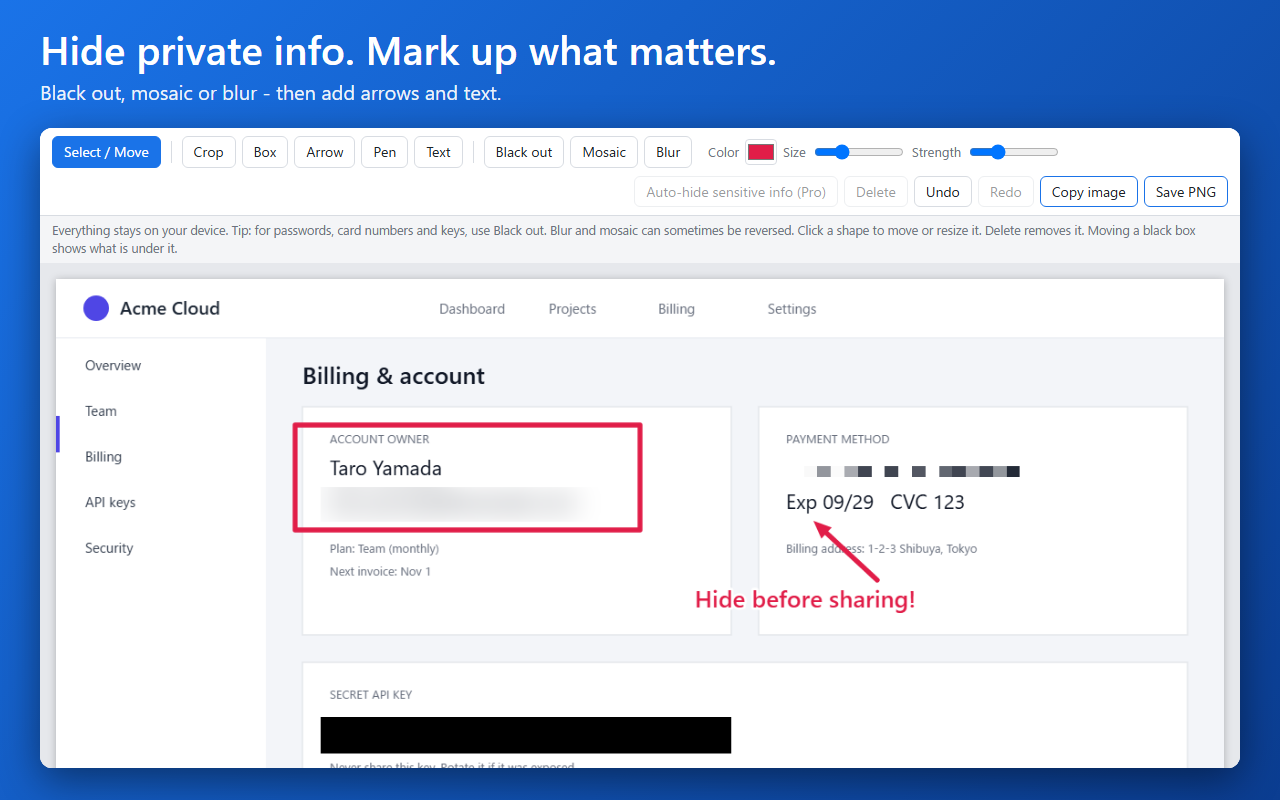
Capture the visible part of any tab (button or Alt+Shift+S), or paste/drop an image. Crop, add boxes, arrows, pen strokes and text.
Hide what is private
Black out, mosaic or blur any area. For passwords, card numbers and keys, use Black out: blur and mosaic can sometimes be reversed.
Edit anytime
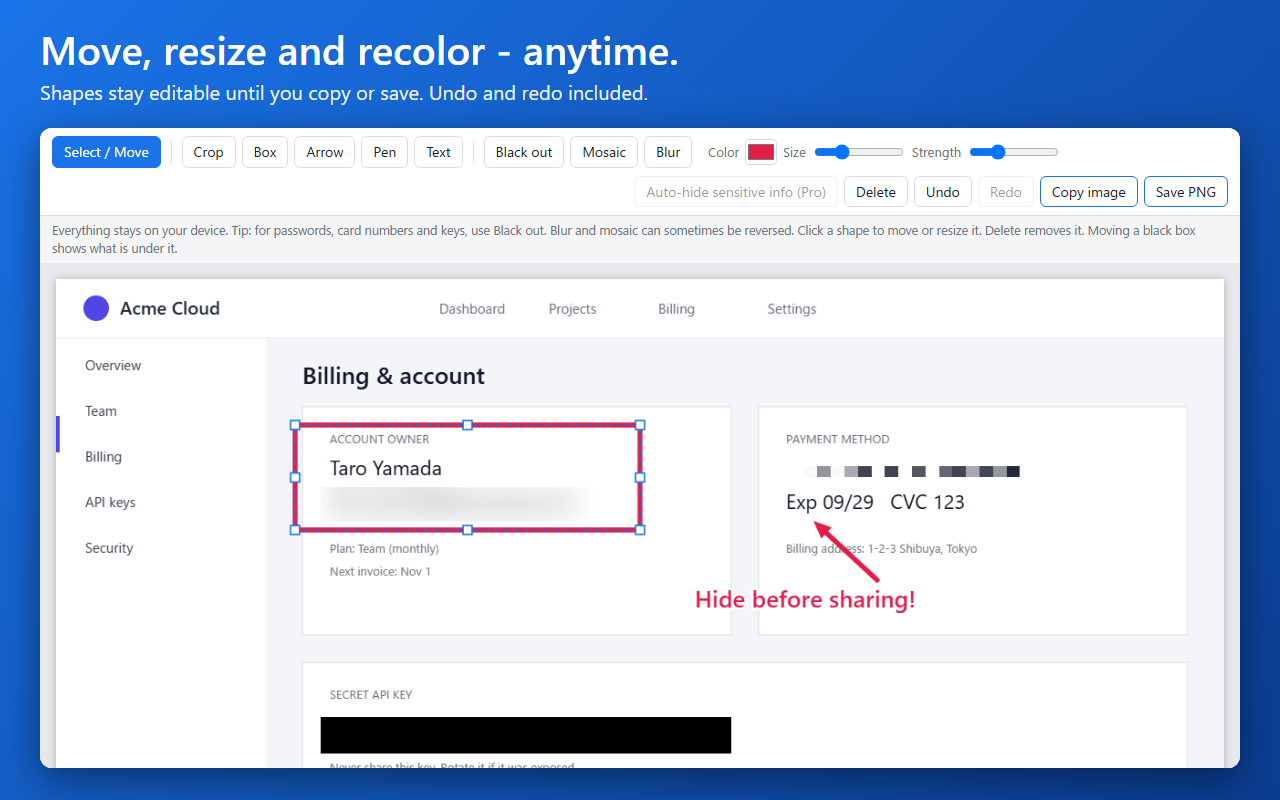
Click a shape to move or resize it, change its color or size, delete it, undo and redo. Shapes are flattened into the image only when you copy or save.
Copy or save
Copy the image to your clipboard or save a PNG. Works offline.
Private by design
Screenshots are processed in your browser and never uploaded. No account, no analytics.
English & Japanese
The interface follows your browser language.
ShotVeil Pro — one-time purchase
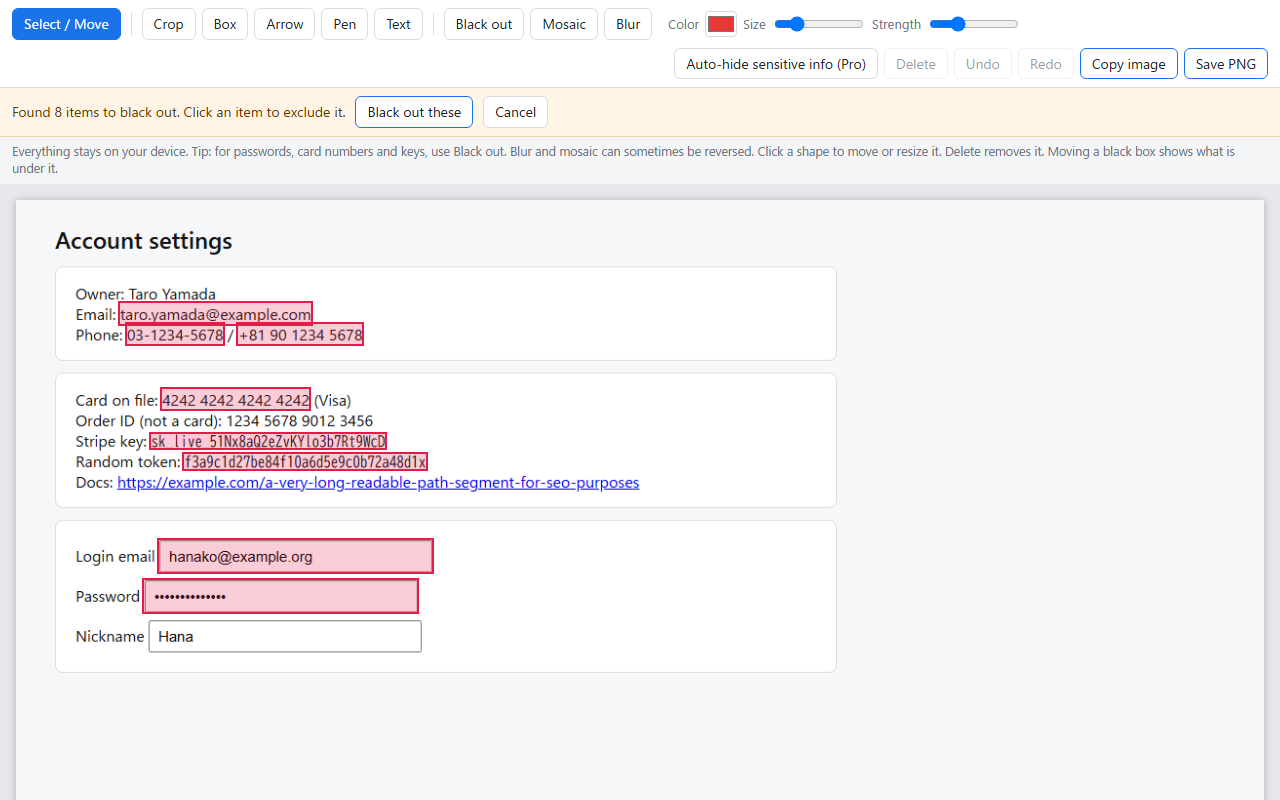
Pro adds automatic detection of sensitive information. Right before the screenshot is taken, ShotVeil reads the visible text of the tab you chose (locally) and finds emails, phone numbers, card numbers, API keys and tokens, and password fields. You review the highlighted candidates, exclude any, and black them out in one click.
- Candidates are highlighted; click one to exclude it
- One click to black out all selected items (one undo reverses it)
- Applied items stay editable like any other shape
- A license key unlocks up to 3 devices
It reads the text of the page (not pixels): text inside images, canvas or cross-origin frames, and text split across elements may not be detected. Always check the result before sharing.
How buying works
- Click “Buy Pro”. Payment is handled by Polar, our payment provider and merchant of record.
- Your license key appears in your order confirmation and in your Polar customer portal.
- Open ShotVeil, click “License”, paste the key and press “Activate”.
Permissions, explained
activeTab | Capture only the tab you click the button on. |
scripting | Pro only: read the visible text of that tab to locate sensitive items. The text is not stored or sent anywhere. |
storage | Remember your Pro license on this device. |
ShotVeil does not read your browsing history and does not ask for access to all websites.
FAQ
Are my screenshots uploaded anywhere?
No. Capturing, editing, copying and saving all happen in your browser.
What does Pro send over the network?
Only your license key, our organization ID and a random device label are sent to Polar (api.polar.sh) to activate and re-check the license. No screenshots, no page content.
Does Pro work offline?
Yes. After activation, ShotVeil re-checks the license about once a day. If it cannot reach the server, Pro keeps working. Pro is removed only if the server says the key is no longer valid.
I changed computers or reached the device limit.
Each key works on up to 3 devices. Free a device in your Polar customer portal, then activate again. If you are stuck, email us.
What is your refund policy?
See the Terms page.
I lost my key.
Open your Polar customer portal (link in your order email) to see it again, or email us.
Contact
Questions or problems? Email support@choiez.com